Bring your own AI
An AI-ready trading terminal: bring your own agent over MCP.
DeltaForge doesn't ship a chatbot. The app is AI-ready: the AI agent you already use connects to the app over MCP (the Model Context Protocol) and works with every part of the terminal.
Your agent reads your actual positions, P&L, and live data inside the app, plus the Greeks from the Positions and Portfolio Risk plugins if you install them. It answers in that context and builds the tools you ask for as plugins.
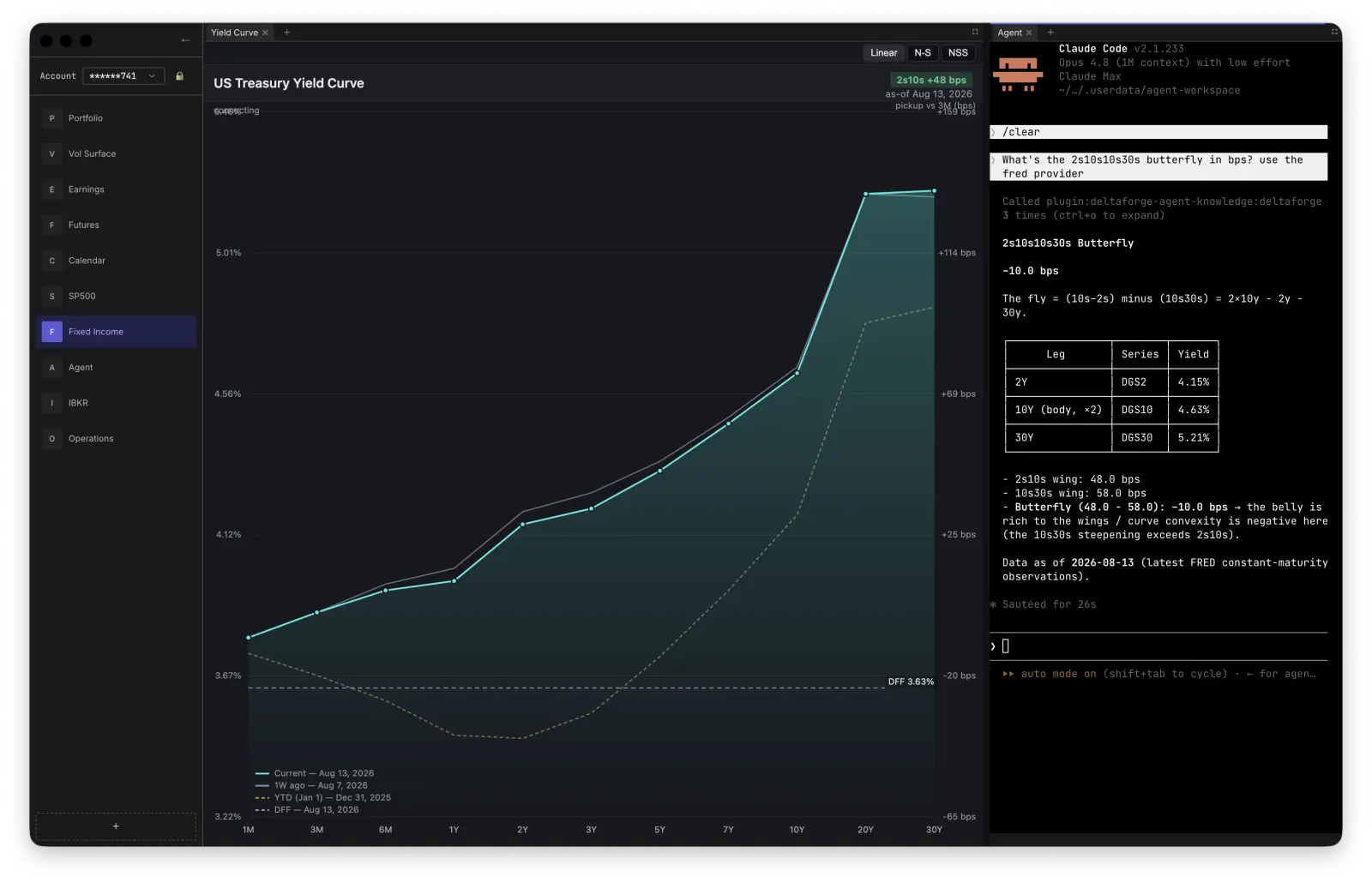
Your agent, inside the app
Launch Claude Code, Codex, or OpenCode from the agent panel inside the app. If the agent's command-line tool is installed on your Mac, it connects to DeltaForge automatically, with nothing else to set up.
What your AI agent can do in the app
- Discover every installed plugin, the data each one publishes, and the exact schema of that data.
- Read the latest live values in the app, including positions, quotes, ticks, and plugin status.
- Send a request to a data connector and get the reply, for example a FRED series, a BLS release, or a CFTC Commitments of Traders query.
- Write, install, upgrade, and uninstall plugins, and set up a local type-check and test loop for them.
- List the open panels and take a screenshot of the app window or a single panel to check its own work. By default you approve each screenshot in a dialog first.
- Browse the Store catalog inside the app and see what a listing contains before you install it.
AI agent questions grounded in your book
Because the agent reads real application state instead of guessing, you can ask it about your own account and the data you have connected:
- Show me my net delta exposure grouped by underlying.
- Which of my positions has the most gamma risk right now?
- What is the 2s10s30s butterfly doing on the Treasury curve today?
- Pull the latest CPI release from BLS and compare it with core PCE from FRED.
From a question to a tool that stays
An answer in a chat window disappears. A plugin stays. Ask your agent for a panel, a scanner, or a calculation and it creates the plugin, loads it into view, screenshots it, and reads its logs and state, iterating until it works, all inside the app.
You stay in control
DeltaForge does not hold funds, execute trades independently, or provide investment advice. The AI agent builds tools and automations. You decide if and when they run.
Related pages
Download the trading terminal for Mac.
DeltaForge downloads for Apple silicon and Intel-based Macs. Add data connectors from the Store inside the app.